
If you would like to manually cancel recurring payments via PayPal, please follow these steps:
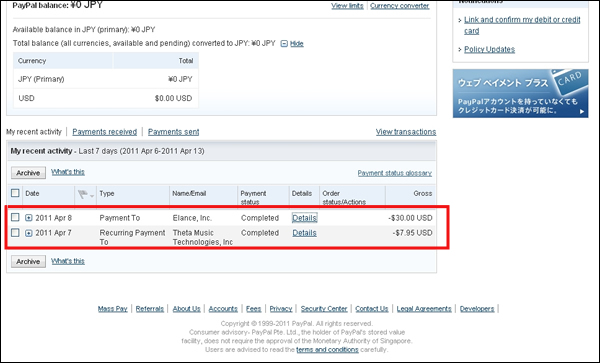
- Please go to paypal site and log in. On the main page after logging in (My Account -> Overview), look in the list of transactions under 'My recent activity' to find your most recent payment. Click on 'Details' for this payment.
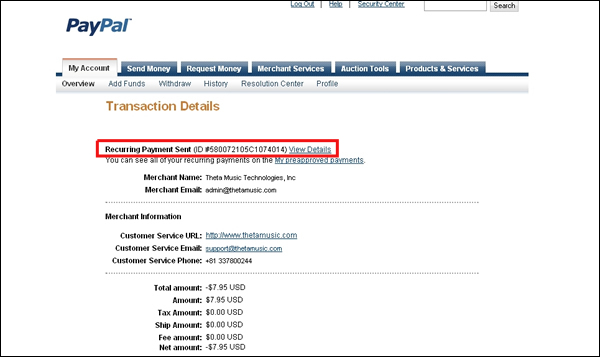
- On the next page (Transaction Details), look for the line that says 'Recurring Payment Sent' and click on 'View Details'.
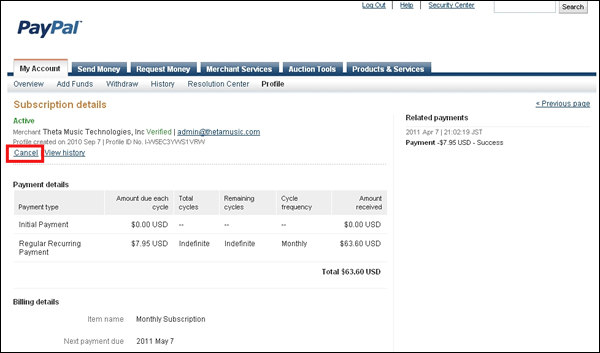
- You should see a page that says 'Subscription Details'. Underneath the description, click on 'Cancel'.
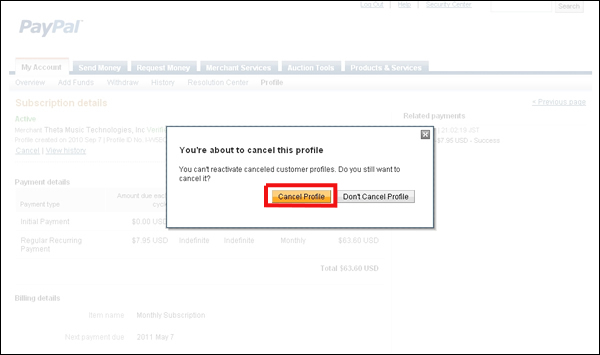
- Finally, click on 'Cancel Profile' in the confirmation window.
This will cancel your payments and subscription to Theta Music Trainer.